What Is Actually Humming in the Cupboard? A Practical Hardware Audit for UK SMEs
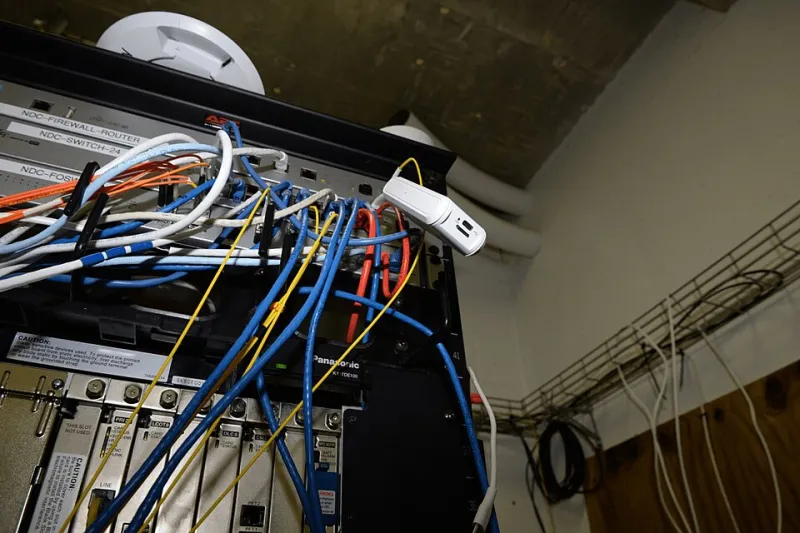
Photo: Federal Bureau of Investigation, Public domain, via Wikimedia Commons
Walk into many UK SMEs and the most important server is not in a data centre. It is in a stationery cupboard, under a desk or on a shelf beside the printer. It may be a tower server running accounts, a NAS holding years of project files, or a small UPS intended to keep the whole arrangement alive during a power cut. The kit is often older than some of the staff, and it is frequently less documented than the coffee rota.
In 2026, this is not merely an aesthetic problem. Hardware ages in several directions at once: warranties expire, operating systems leave support, disks wear out, firmware stops receiving fixes and the person who installed it leaves. The risk is not that the server will fail dramatically. It is that it will fail quietly, during a busy week, and nobody will know what depends on it.
Start with the register, not the shopping list
An audit should begin with facts, not a quote for replacement equipment. Build an asset register before deciding whether to refresh, migrate or retire. For a small firm, a spreadsheet is sufficient, provided it is accurate and someone owns it.
The register should record, for each item: a unique asset ID; physical location; make and model; serial number; role or service supported; operating system and firmware version; purchase date; warranty and support end dates; business owner; data classification; backup method; dependencies; and intended disposition. The last column matters because it forces a decision: keep, refresh, migrate, retire or investigate.
A simple one-page template is enough:
| Field | Example | Why it matters |
|---|---|---|
| Asset ID | SRV-01 | Gives every conversation a common reference |
| Location | Stationery cupboard, Leeds office | Physical security and access |
| Make/model | Tower server, model X | Warranty and parts lookup |
| Serial number | ABC123 | Vendor support entitlement |
| Role | Finance application host | Shows business dependency |
| OS/firmware | Windows Server 2016 | Support deadline and patching |
| Purchase date | March 2018 | Age and depreciation |
| Warranty/support end | 12 January 2027 | Renewal or migration trigger |
| Owner | Finance Director | Accountability |
| Data class | Financial records | Backup and retention rules |
| Backup | Nightly image to NAS | Restore testing scope |
| Disposition | Refresh or migrate | Decision record |
Check dates before you check prices
Warranty and support dates are the audit’s early-warning system. Vendor portals usually accept a serial number and return entitlement details. For Microsoft environments, check the operating system lifecycle as well as the hardware warranty. Extended support for Windows Server 2016 ends on 12 January 2027. If a line-of-business application still runs on that platform, the application vendor’s own support matrix matters too; an unsupported operating system can invalidate the application support you are paying for.
Do not stop at the server. Check the NAS firmware support, the UPS battery replacement date, the switch model and any small firewall or router that nobody has logged. A UPS that has never been tested is not a resilience measure; it is a box with a battery of unknown condition. A NAS with no named owner is not storage infrastructure; it is a shared folder with a power supply.
A backup is not a backup until it restores
The audit should include a real restore test, not a review of backup logs. Choose a representative file set and, where possible, a whole system. Restore to isolated hardware or a virtual machine. Record how long it took, who did it, what was missing and whether the restored system actually worked. A successful backup job is a log entry; a successful restore is evidence.
For UK SMEs, the test should also confirm that backup media or cloud copies are not solely dependent on the same cupboard, the same power circuit or the same administrator account. If the only person who can restore the system is on holiday, the recovery plan has a single point of failure.
Decide honestly: refresh, migrate or retire
Once the register and restore test are complete, the decision becomes clearer. Refresh is sensible where the workload is stable, the application is well supported and local control is genuinely valuable. Migration to cloud or hosted services is sensible where the workload is variable, the hardware is end-of-life and the business lacks the skills to maintain it. Managed retirement is sensible where the service is no longer needed, duplicated or better handled by a simpler process.
Honesty matters here. Migrating a poorly understood application to the cloud does not fix the process; it merely moves the confusion to a monthly invoice. Refreshing hardware without checking the application support matrix can buy a new server that runs unsupported software faster. Retirement requires data retention checks, export of anything the business still needs and certified destruction of storage media.
Questions before renewing hardware support
Before signing another support renewal, ask the supplier: What exactly is covered — parts, labour, firmware, operating system support or only hardware? What are the response and onsite times? Are spare parts guaranteed for the full term? Is the price fixed or subject to uplift? Does the contract include end-of-life planning? What happens if the vendor withdraws support during the term? Can we exit early, and what notice is required? Will you provide a written asset report with warranty dates?
A support contract that covers a device the manufacturer no longer supports is often a promise to answer the phone, not a promise to fix the problem. The renewal conversation is the right moment to force that distinction into the open.
The cupboard can remain a cupboard. It should not remain an unknown. A register, a date check, a restore test and a documented decision are modest pieces of work. They are also the difference between a planned hardware replacement and an unplanned outage that arrives with no warning and no obvious owner.